
 ampliflare
Manage all of your zone’s DNS from one table — add, edit, and remove records, or flip them on and off without losing their configuration. No context-switching between zones, and no hand-written rules.
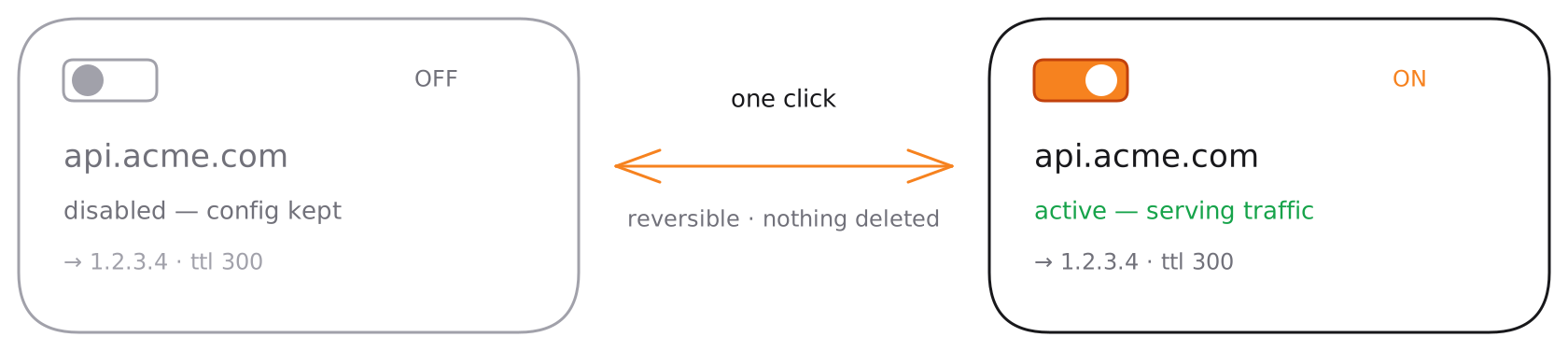
Toggle records on and off
Disable a DNS record without deleting it, then re-enable it in one click. The record’s full configuration — type, content, TTL, proxy setting — is preserved while it’s off, so it comes back exactly as it was. Ideal for testing changes or rolling back quickly.
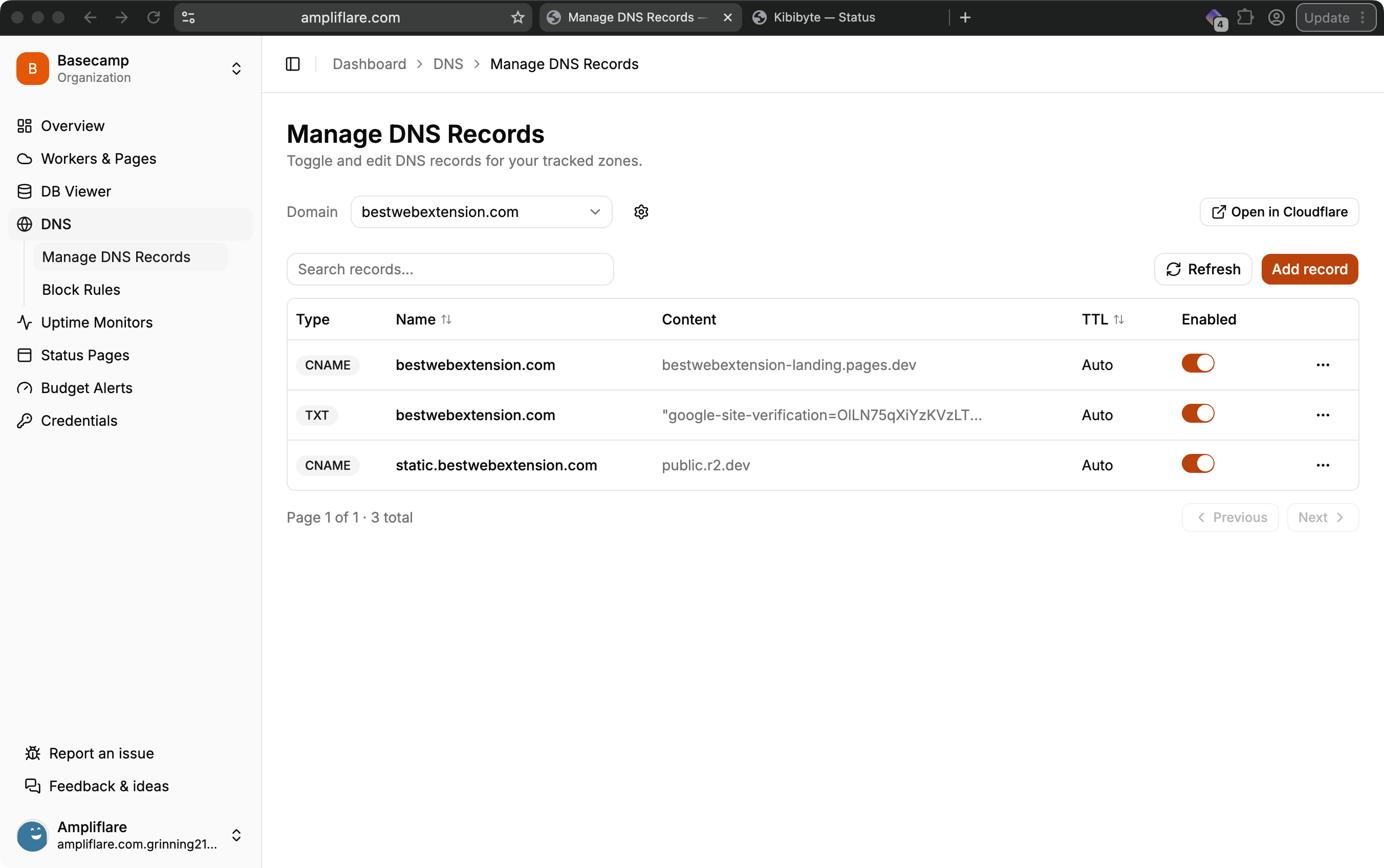
Add and edit records
Create any standard record type — A, AAAA, CNAME, MX, TXT, and more — from a guided form, and edit existing ones inline. Changes are written straight to Cloudflare and reflected immediately.
Automatic backups
Edit records without the stress. Every change you make to a record is backed up automatically before it’s written, so you’re never one fat-fingered edit away from an outage.
If something goes wrong, roll back to a previous version in one click — restore a deleted record, undo a bad edit, or revert a value to exactly what it was. Backups are kept per record, so you can see its history and pick the version you want.
Quick-add templates
Common records are available as one-click templates, so you don’t have to look up the exact format:
- Email verification (SPF, DKIM, DMARC)
- Domain verification
- Redirects
Block traffic without expressions
Need to block an IP or a whole country? That lives under Access control — pick from a dropdown and Ampliflare writes the WAF rule for you.
Plan limits
The number of zones you can track depends on your plan:
| Plan | Tracked zones |
|---|---|
| Starter | 5 |
| Lite | 10 |
| Pro | 25 |
What you’ll need
A token with Zone → DNS → Edit, plus Zone → Zone → Read so Ampliflare can list your domains. You can scope it to specific zones if you prefer. See Connect your Cloudflare account.