
 ampliflare
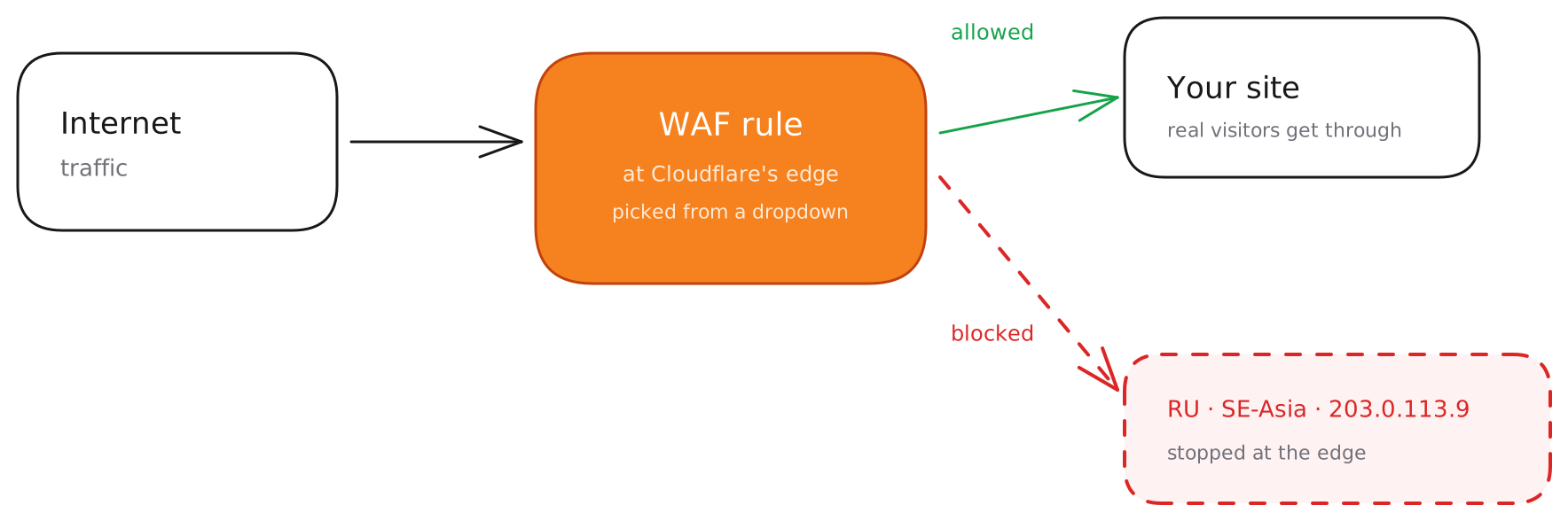
Block unwanted traffic without learning Cloudflare’s firewall expression syntax. Pick an IP or a region from a dropdown and Ampliflare writes the WAF rule for you — and because every block is reversible and logged, you can always see what changed and undo it.
Block an IP
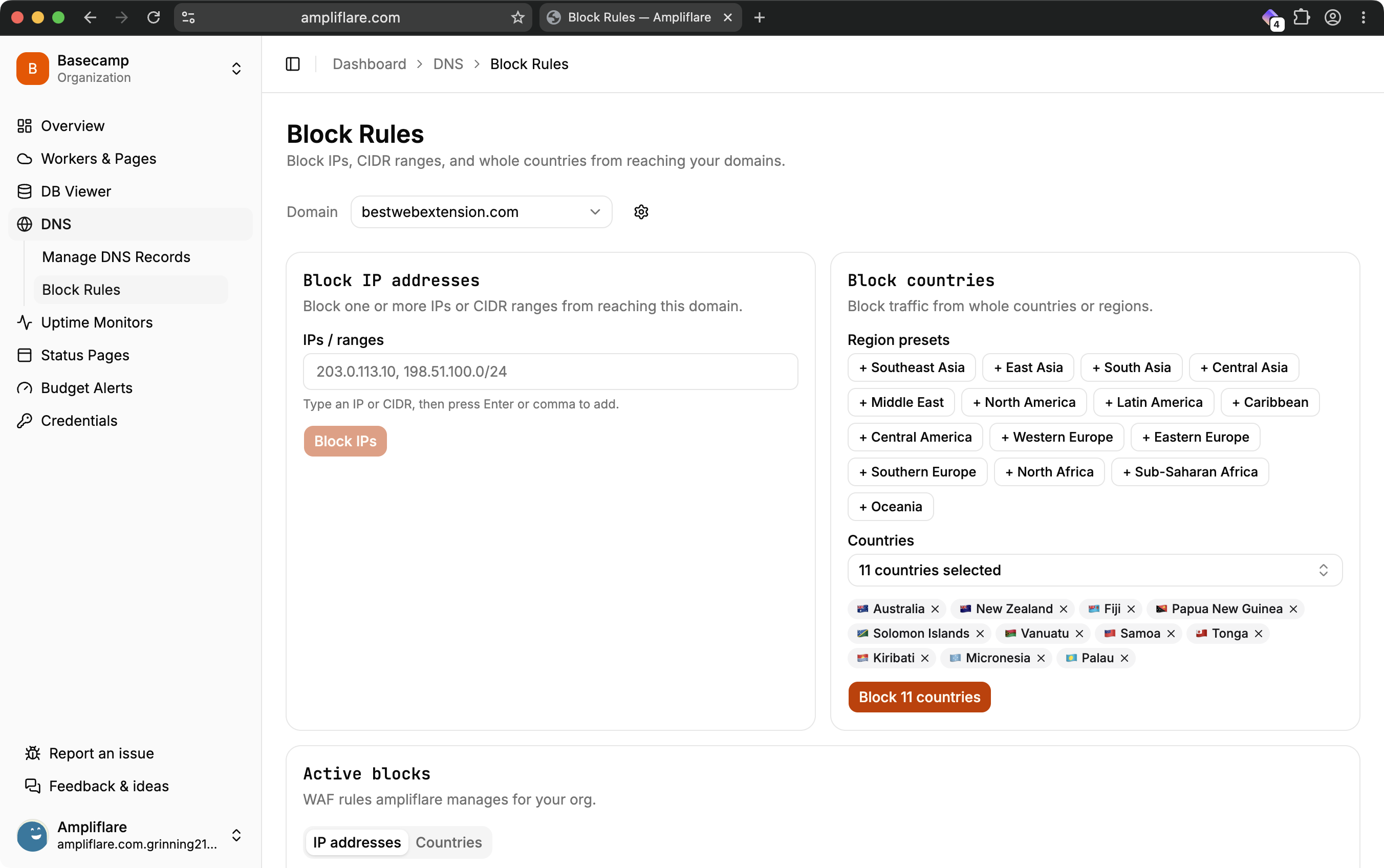
Enter an IP address (or a CIDR range) and Ampliflare adds it to a managed blocklist and creates the matching firewall rule. Add more addresses any time — they all share the one rule, so your firewall stays clean.
Block a region
Block an entire country, or a whole region in one go — for example, all of South-East Asia — without listing each country by hand.
Reversible and logged
Every block is recorded in the audit log and can be removed in one click. Nothing is permanent, and nothing happens silently — you always have a record of what was blocked, when, and by whom.
A note on scope
Region and IP blocks are written as Cloudflare WAF custom rules on the zone, with IP blocks backed by an account-level IP list. They take effect at Cloudflare’s edge, in front of your origin.
What you’ll need
A token with Zone → Firewall Services → Edit for region blocks, plus Account → Account Filter Lists → Edit to block individual IPs. See Connect your Cloudflare account.